


Learning an instrument is easy to postpone. I have done it myself: watch a short lesson, play for a few minutes, then leave the guitar in its case because the next step feels unclear. Fender Play: Music Lessons is designed to remove that uncertainty. It is an education app from Fender Musical Instruments Corporation that guides players through guitar, bass, and ukulele lessons with a structured video approach. After spending time with it, I see its main appeal clearly: it turns practice into a sequence of manageable decisions rather than asking you to search randomly for something useful.
The app is free to install and suitable for Everyone, although its in-app purchases range from $4.99 to $149.99 per item. That difference matters because the free entry point lets you inspect the learning style before committing, while the broader experience is aimed at people who want a more organized course. It has reached over one million installs and holds a 4.4 average from around thirteen thousand ratings, which suggests that the format has connected with a substantial number of learners.
How Fender Play feels during everyday practice
A quick route from opening the app to playing
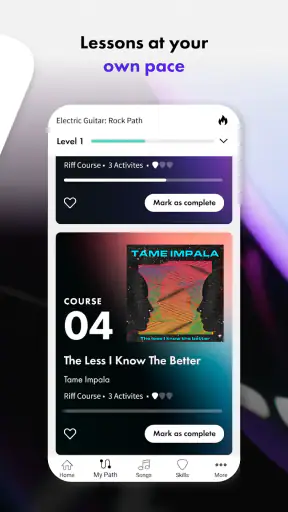
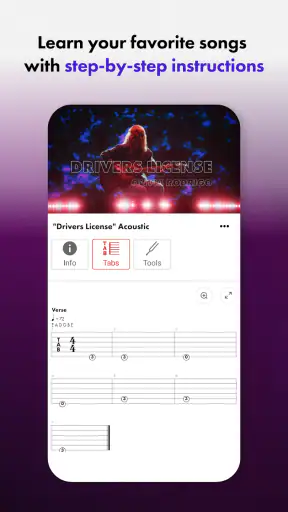
My first impression is that the app’s greatest speed advantage is not necessarily how quickly a video starts. It is how quickly it helps me decide what to practice. Traditional online lessons often create a problem of abundance: there are countless clips, but no obvious order. Here, the step-by-step structure gives practice a direction. That makes a short session feel more productive, especially when I only have a few minutes before work or before dinner.
The lesson format is particularly approachable for a beginner who does not yet know how to divide practice time. Instead of wondering whether to study chords, rhythm, or a complete song first, I can follow the path presented and concentrate on the current exercise. This reduces the mental overhead around learning. For me, that is an important kind of performance: the app does not need to make me play instantly if it gets me playing sooner by eliminating indecision.
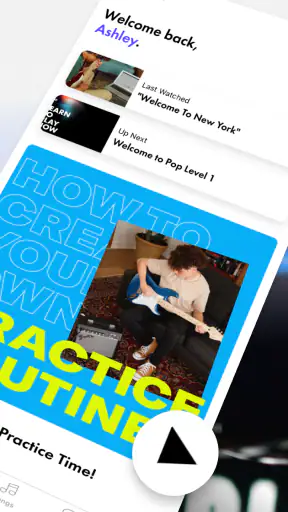
A realistic use case is a player with a guitar beside the sofa and fifteen minutes available in the evening. I would open a lesson, watch the explanation, pause when necessary, and repeat the movement before moving on. That workflow is more realistic than promising a long uninterrupted practice block. The app fits short sessions well because the video format supports stopping and returning rather than requiring a full class in one sitting.
What happens when lessons become more demanding
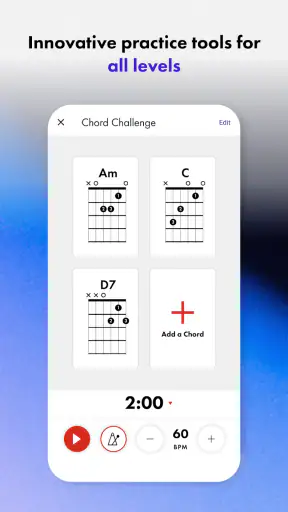
Fender Play is at its most useful when I treat each lesson as a practice guide, not as entertainment to watch passively. The early explanations may feel comfortable, but progress eventually depends on putting the device down and repeating the technique. The app can show the next step, yet it cannot replace the physical work of changing chords, controlling a pick, or keeping a steady rhythm.
That distinction becomes important during heavier use. If I move through several videos in one sitting, the limiting factor is likely to be my attention and playing accuracy rather than the lesson format itself. A long session can become less effective when I keep advancing without repeating the difficult part. My practical tip is to stop after a new technique, play it several times away from the screen, and return only when I can identify what still feels awkward.
Another useful habit is to keep a simple mental note of the exact point where I struggle. If a transition is slow, I should not restart the entire lesson every time. I would revisit the relevant explanation, then spend most of the session practicing that small movement. This makes the app feel less like a video library and more like a reference tool that supports deliberate repetition.
Stability and recovery when practice is interrupted
In normal use, a lesson app needs to recover gracefully from ordinary interruptions. Calls, messages, a locked screen, or simply putting the phone down are all common during practice. Fender Play’s video-centered design encourages a stop-and-return routine, so I would not expect every session to be completed in one uninterrupted run. The experience makes the most sense when I regard each lesson as something I can revisit rather than a one-time presentation.
That also changes how I judge reliability. A stable lesson is not only one that opens correctly; it is one that remains understandable when I return after a day away. The structured progression helps here because I do not have to remember a complicated search path. I can pick up the learning sequence and continue with a clear sense of purpose.
There is still a human limitation that no app can solve: if I forget the technique between sessions, I may need to repeat earlier material. I consider that a healthy part of learning rather than wasted time. The danger is rushing forward simply because the next video is available. For beginners, repeating a lesson is often more valuable than collecting completed videos.
How much the device matters
The app runs on devices using operating system version 9 or later, so compatibility should be checked before installing on an older phone or tablet. That requirement is fairly practical for many current devices, but it can matter if you are trying to turn an aging phone into a dedicated practice screen. A larger display is more comfortable for following hand demonstrations, while a phone is more convenient when space is limited.
Device placement also affects the learning experience. If the screen is too far away, small movements may be harder to follow. If it is too close to the instrument, I may keep looking down instead of developing a natural playing posture. I prefer placing the device slightly to one side at eye level, where I can glance at the lesson without twisting my body or constantly interrupting the instrument.
Resource demands are best considered in practical terms. Video lessons naturally require more from a device and connection than a text-based chord chart, particularly during longer practice sessions. I would avoid judging the app on an old device while many other demanding apps are open. Closing unnecessary apps, keeping the device charged, and using a stable connection are sensible steps for any video-learning workflow. These are not substitutes for good app performance, but they remove avoidable friction.
Where it beats ordinary alternatives
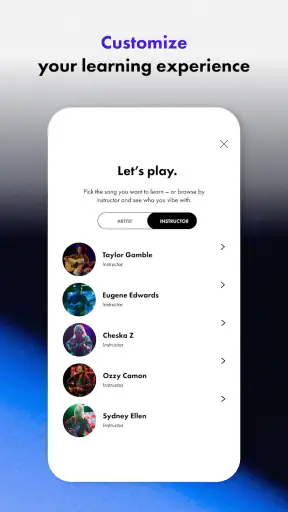
The usual alternative is a mixture of free videos, chord diagrams, and personal trial and error. That approach can be excellent for a self-directed player who already knows what to search for. It is less comfortable for someone who asks, “What should I learn next?” Fender Play’s advantage is the guided sequence. I spend less time comparing teachers and more time working through a coherent lesson path.
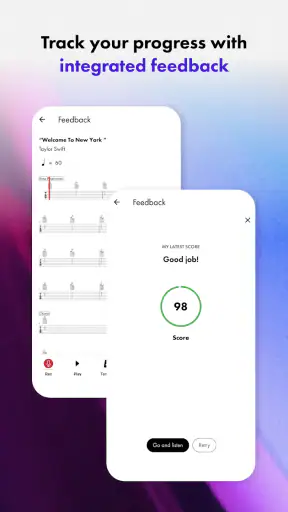
Compared with a private instructor, the app is more flexible and easier to fit around an unpredictable schedule. I can practice late, repeat a section, or take a week away without arranging another appointment. The trade-off is feedback. A teacher can notice tension, poor posture, or a timing problem that I may not recognize. If I keep making the same physical mistake, personal instruction may be the better investment.
Compared with a printed method book, the video format gives movement and timing more context. A page can show a chord shape, but seeing a demonstration can make the transition easier to understand. On the other hand, a book is quiet, quick to scan, and does not depend on a screen during every practice session. I would use a book as a companion if I wanted a low-distraction reference, while choosing Fender Play when demonstration and sequence are more important.
Who will get the most from it
I think the strongest audience is the beginner who owns or is considering a guitar, bass, or ukulele and wants a clear starting point. It also suits returning players who remember basic ideas but need a guided way to rebuild consistency. The lessons can provide structure without demanding a fixed timetable, which is valuable for adults whose practice time changes from day to day.
It may also work well for a player who has learned isolated chords from scattered sources but cannot connect them into a routine. The step-by-step format gives that knowledge a place in a broader progression. My advice would be to approach it with an instrument already available and a realistic practice target. Even a short, regular session is more useful than opening the app only when motivation happens to appear.
The app is less suitable for someone who wants advanced, highly personalized coaching from the beginning. A player preparing for a specific audition, developing unusual technique, or needing detailed diagnosis may outgrow a guided video path or prefer a teacher. It is also not ideal for a person who dislikes screen-based learning altogether. If you know that you learn best through live correction or printed notation, another method may feel more natural.
Costs, commitment, and the free starting point
The free installation is helpful because it lowers the risk of trying the teaching style. I would use that opportunity to ask practical questions: Do the explanations make sense to me? Is the pace comfortable? Can I imagine practicing this way for several weeks? Those answers are more important than the promise of a large lesson collection.
The in-app purchase range is broad, from $4.99 to $149.99 per item, so I would pay close attention to the purchase screen and choose only after deciding how seriously I intend to use the course. A casual player may prefer to explore before spending, while someone seeking a longer-term learning plan may find more value in committing to a structured experience. The key trade-off is simple: the app can save time and confusion, but only if I actually follow through with practice.
Because it is rated for Everyone, the presentation is accessible to a wide audience. That does not mean every lesson will feel equally easy for every age or ability level. A young learner may still benefit from an adult helping position the device and instrument, while a complete beginner may need extra patience with finger discomfort and coordination. The age rating describes accessibility, not a guarantee of effortless progress.
Small workflows that improve the experience
One of my preferred workflows is to separate watching from doing. I watch enough to understand the movement, pause the lesson, and practice without looking at the screen. This prevents me from confusing recognition with mastery. When I return to the video, I am checking a real question rather than passively consuming another explanation.
A second useful approach is to create a “friction list” after each session. I would remember only two or three issues, such as a noisy chord, a missed string, or an uneven change. The next session then has a concrete purpose. This is more effective than trying to improve everything at once, and it makes the guided structure work harder for me.
A third tip is to use the app at different distances from the instrument. For a new hand position, I want the screen close enough to inspect. For rhythm practice, I prefer to glance briefly and then focus on sound and feel. Treating the device as a teacher’s reference rather than the center of attention helps prevent screen dependence and encourages listening.
My performance verdict
Fender Play: Music Lessons feels best when judged as a structured practice companion. Its perceived speed comes from reducing the time spent searching, its stability is supported by lessons that can be revisited, and its resource demands are the natural consideration of a video-based learning app rather than a lightweight text tool. On a compatible device, I would expect the experience to be most comfortable when the phone or tablet is prepared specifically for practice instead of competing with many other tasks.
The developer, Fender Musical Instruments Corporation, gives the app a recognizable focus, but the name alone is not what makes it useful. The real value is the combination of guided progression and flexible repetition. I can see why it has earned a 4.4 average and attracted more than one million installs, while the roughly 2.9 thousand written reviews show that many users have taken the time to describe their experience.
The current version is 8.0.1, and the app was released on March 21, 2018, giving it a long presence in the mobile education space. Those details do not guarantee that it will suit every learner, but they place it among established options rather than a fleeting experiment. I would still evaluate it on my own device and with my own instrument, because lesson comfort depends heavily on screen size, playing posture, and personal learning style.
My recommendation is straightforward: choose it if you want guided guitar, bass, or ukulele practice and need help deciding what to do next. Start slowly, repeat difficult sections, and use the free entry point to test whether video instruction fits you. Skip it in favor of a teacher or a more specialized method if personalized correction is your main priority. For a beginner who wants structure without a fixed classroom schedule, Fender Play: Music Lessons is a practical and approachable place to build a regular habit.


